Hotel Lobby CapCut Template: Find It and Use It
Find a Hotel Lobby CapCut template, add your photos and check export options. Learn its limits and when to make an original two-person video instead.
There is no single official Hotel Lobby CapCut template. A search for "Hotel Lobby" in CapCut returns whatever creators chose to call that name, and the top result may have nothing to do with the orange two-person rap clips on your feed. Start from the video you liked, then check each candidate's preview before you spend time filling it.
Where to Find a Hotel Lobby CapCut Template
Begin with the TikTok video itself. If the clip shows a CapCut template button, tap it: that leads to the template the creator actually used, which a name search cannot promise.
If there is no button, search templates in the CapCut app or on CapCut's website. Judge each result by its preview before you open it:
- Is it the orange room, or just a song with that name?
- Are two people sharing the frame?
- Is the audio the one you want?
- How many slots does it need, and are they photos or video clips?
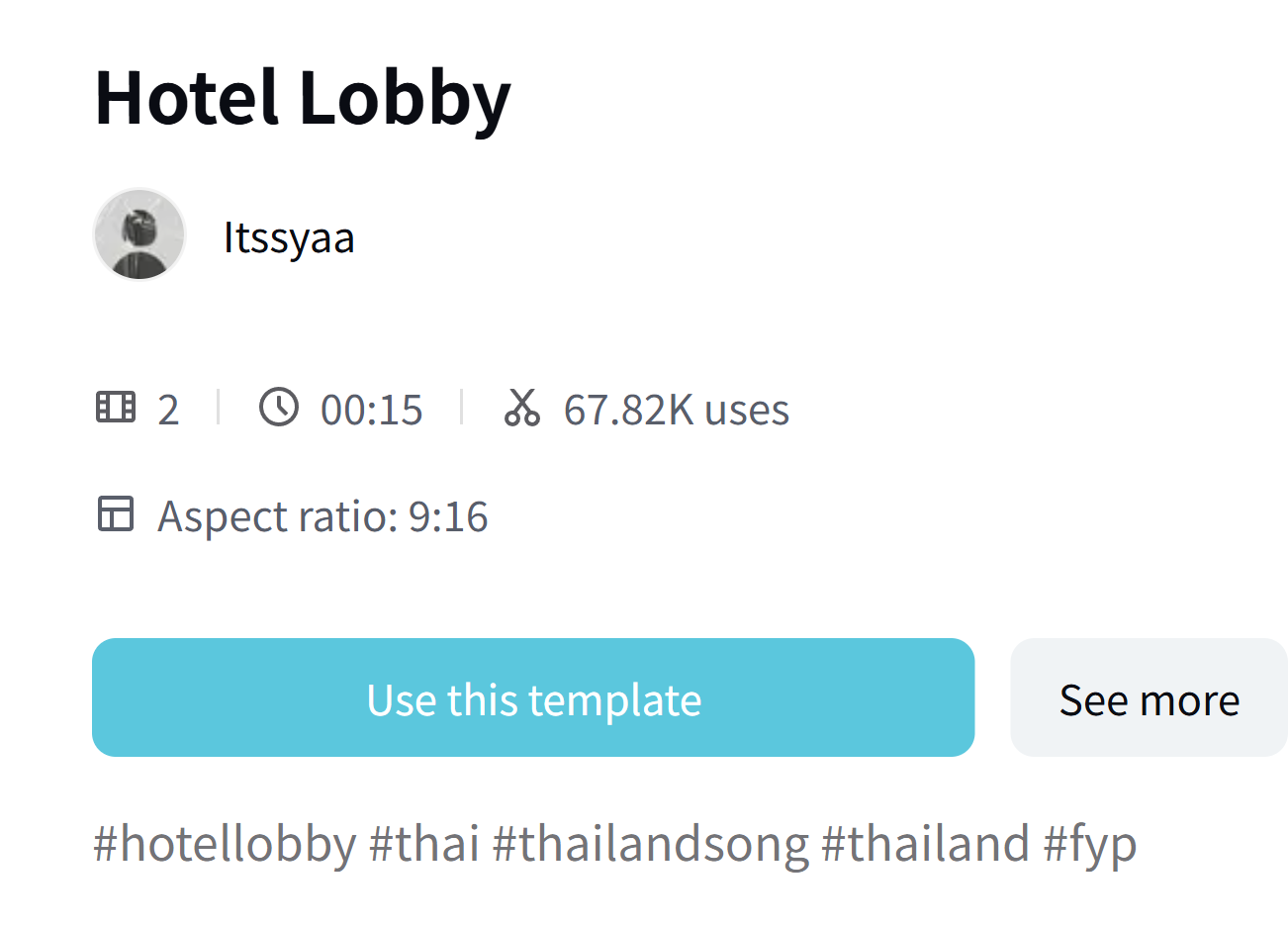
Here is why that check matters. On October 1, 2026, the template we opened was Hotel Lobby by Itssyaa, posted April 21, 2025: 2 clips, 15 seconds, 9:16, with 67.82K uses at the time. Its preview is a split-screen beach edit with Thai tags. It asks for two clips, and the page does not say whether those slots take photos, videos or both; the media picker shows that once you open the template. "Use this template" requires a CapCut login, and we did not go past it, so how it exports is untested. What the page does tell you is that it will not give you the orange-stage effect.
Templates also come and go. Creators delete or edit them, and a template may not appear in every region, so no link here is permanent. Treat the name as a search term, not a guarantee.
How to Use the Template Step by Step
This is the general CapCut template flow. Buttons can differ by app version and template, and it is not a walkthrough of a confirmed orange-stage template.
- Open the template details and play the preview once more.
- Tap "Use this template" and sign in if CapCut asks.
- Add the media in the slots it lists. "2 clips" means two slots; the media picker shows whether each takes photos, videos or both.
- Preview the result. Check that faces stay inside the 9:16 frame and the audio lines up.
- Export, or share straight to TikTok if that option appears.
Before step 3, check that template's export conditions: Pro-only elements, availability in your region, and what the exported file includes. These vary by template and account, so do not assume any template is free.
What a Template Can and Cannot Do
A template is a finished edit with empty slots. The creator fixed the layout, cut timing, slot count and usually the audio. A 15-second template stays 15 seconds.
- Face swap happens only if the template is built for it. Most place your media into frames; they do not turn a still photo into a rapping performer.
- Audio is whatever the creator attached. Some templates let you keep your clip's original sound or swap the track; others lock it.
- New words are not something a template writes or performs for you. Whether captions or the track can be edited depends on the template.
Dreamina, an AI video product on CapCut's domain, has a Hotel Lobby AI filter page and a Hotel Lobby trend page. Both describe a photo-plus-prompt generation route with its own credits and plans. That is a separate product, not a CapCut template.
Make an Original Video from Two Photos
AI Rap Duo is our own tool, and it skips slots entirely. You upload two solo photos or one photo of you both, optionally add a topic, and pick the Hotel Lobby stage. It generates an original two-person rap with its own audio as an MP4. It does not reuse the original song or anyone's voice.
A standard video (Mini, 720p, 12 seconds, 9:16) costs 10 credits, and a Single purchase is $4.99 for 10 credits. You can close the page and find the result later in My videos.
If you want both of you performing rather than a clip edit, make an original duo video on the Hotel Lobby stage.
Which Method Fits Your Idea?
| Your idea | Route | Why | Cost conditions |
|---|---|---|---|
| Funny edit of a clip you already have | CapCut template | Drops your footage into a ready-made edit | Depends on the template and your CapCut account |
| Two people starring in an original performance | AI Rap Duo | Animates both of you from photos, with original audio | 10 credits for a standard 12 s Mini video |
| A custom topic, like a birthday or inside joke | AI Rap Duo | An optional topic of up to 120 characters steers the rap | Same credits as above |
| Recreating moves from a source video | Higgsfield (our Higgsfield guide) | Transfers motion from a reference video | Higgsfield's own plans |
Tips for Either Method
- Use sharp, well-lit, front-facing photos or clips, framed so heads are not cropped in 9:16.
- Only use photos and footage of people who agreed to be in the video. Minors need a parent or guardian's consent.
- Know which audio you are posting: the template's track or newly generated music.
For the full trend method, read how to do the Hotel Lobby trend. For background on the original track, see the Hotel Lobby song by Quavo and Takeoff. And if you need a partner and a topic, browse these Hotel Lobby trend ideas.